
Issue
Semi-auto mode does not work.
Answer
The following causes are possible. Please check.
1. The semi-auto button is not pressed (button on the upper right of the monitor)
2. The machine is not in ICT construction mode
3. Work is being performed outside the design range
4. The machine has not been fixed
5. The machine monitor (multi-monitor) mode is set to arm crane mode or breaker mode
6. The angle difference between the vehicle and the construction surface is too large
Explanation / How to deal
1. The semi-auto button is not pressed (button on the upper right of the monitor)
You can switch from manual mode to semi-auto mode using the Auto/Manual switch on the upper right of the control box.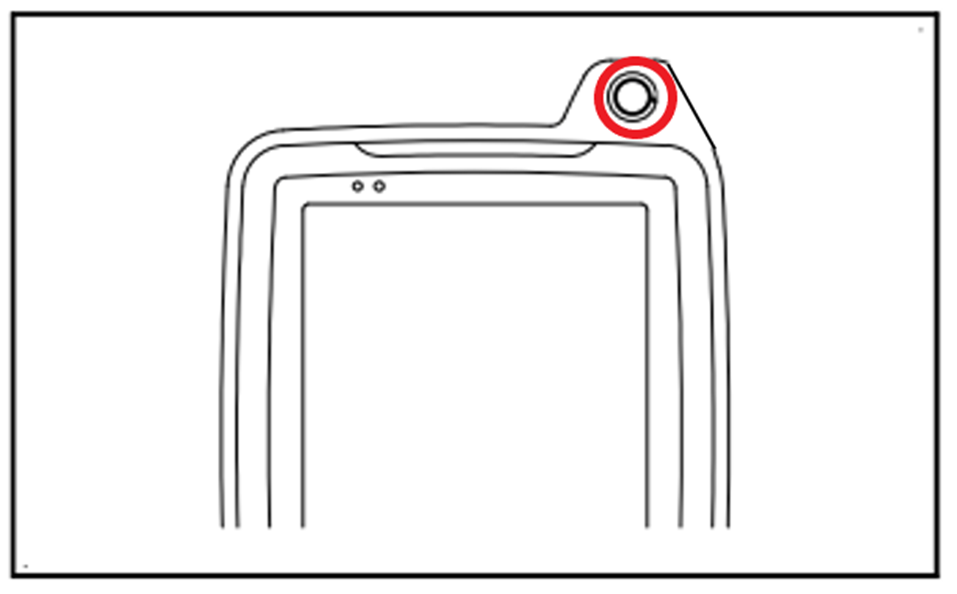
2. The machine is not in ICT construction mode
Check the icon on the lower left of the control box.
If this display is shown, semi-auto will not engage.
To use semi-auto, select “FINE” or “ROUGH.”
(Reference)
・FINE: Finishing excavation mode
・ROUGH: Rough excavation mode
・No English display: Drive mode
3. Work is being performed outside the design range
If there is no design data under the cutting edge of the bucket, “Outside design area” will be displayed and semi-auto mode will enter standby mode and will not operate.
4. The machine has not been fixed
Confirm that the GNSS status button on the control box is lit green.
5. The machine monitor (multi-monitor) mode is set to arm crane mode or breaker mode
Please confirm if the machine mode is displayed as an icon in the upper right corner of the machine monitor (multi-monitor).*
*Please refer to the machine monitor installed on the shovel itself, not the control box used for ICT construction.
If “L” is displayed, it is in Arm Crane Mode; if “B” is displayed, it is in Breaker Mode.
In such cases, semi-automatic construction is not possible, so change to Power Mode or Economy Mode.
ICT construction possible
Power Mode
Economy Mode
ICT construction not possible
Arm Crane Mode
Breaker Mode
6. The angle difference between the vehicle and the construction surface is too large
As a specification, semi-automatic construction cannot be performed when the angle difference between the vehicle body and the construction surface is large.
(Example)
Supplement
・Screen display in semi-auto mode
When the semi-automatic button is pressed, the “Semi-AUTO” mark indicating that semi-automatic mode has been set is displayed along with an audio signal. The mark disappears after a few seconds.
When automatic control is active during semi-automatic mode, “Semi-AUTO Mode” is displayed in green.
When automatic control is not active during Semi-Auto mode setup, “Semi-AUTO Mode” will be displayed in blue.
Comments
0 comments
Please sign in to leave a comment.